> ## Documentation Index
> Fetch the complete documentation index at: https://prowler-docs-msp-documentation-accuracy.mintlify.site/llms.txt
> Use this file to discover all available pages before exploring further.
> ## Agent Instructions
> Prowler product naming: Prowler App is now Prowler Local Server, and Prowler Enterprise is now Prowler Private Cloud. Always use the current names when answering. The full product reference is at /getting-started/products: Open Source projects are Prowler CLI, Prowler Local Server, Prowler Local Dashboard, and Prowler SDK; Prowler Products are Prowler Cloud, Prowler Private Cloud, Prowler Hub, Prowler Lighthouse AI, and Prowler MCP.
# Getting Started With Azure on Prowler
## Prowler Cloud
> Walkthrough video onboarding an Azure Subscription using Service Principal.
**Government Cloud Support**
Government cloud subscriptions (Azure Government) are not currently supported, but we expect to add support for them in the near future.
### Prerequisites
Before setting up Azure in Prowler Cloud, you need to create a Service Principal with proper permissions.
For detailed instructions on how to create the Service Principal and configure permissions, see [Authentication > Service Principal](/user-guide/providers/azure/authentication#service-principal-application-authentication-recommended).
***
### Step 1: Get the Subscription ID
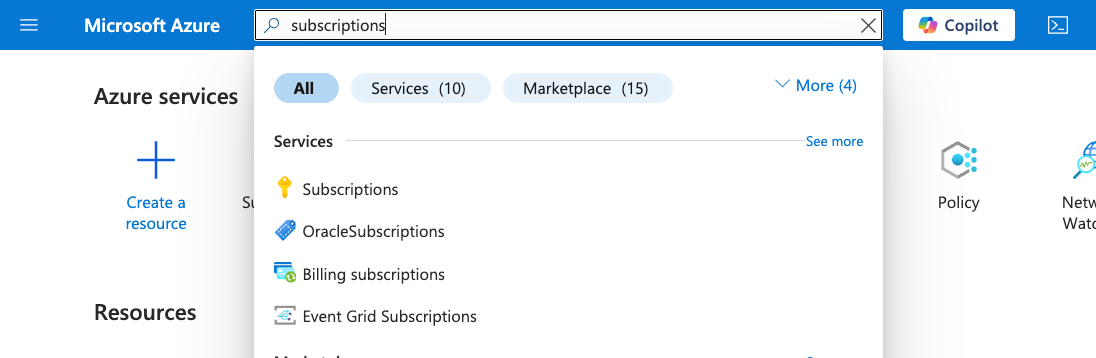
1. Go to the [Azure Portal](https://portal.azure.com/#home) and search for `Subscriptions`
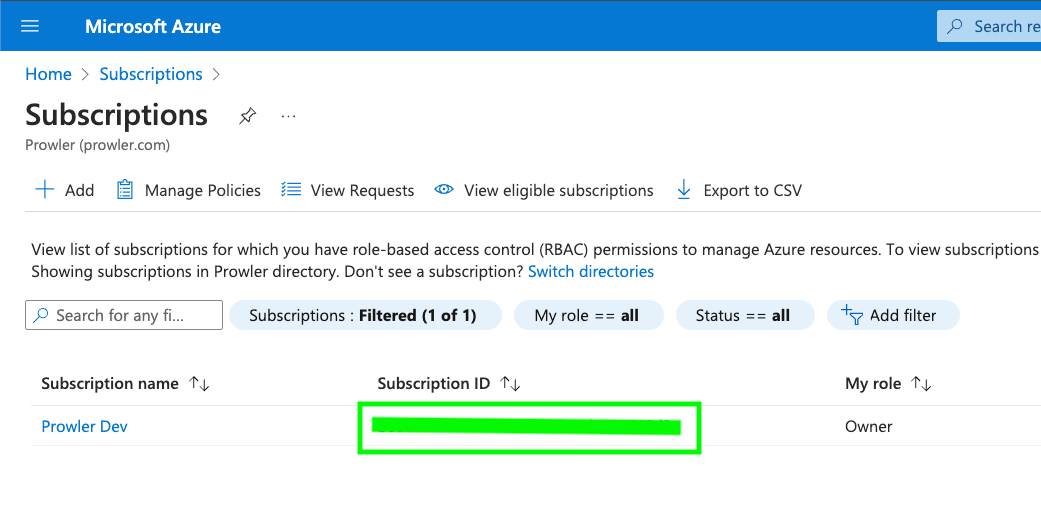
2. Locate and copy your Subscription ID
 ***
### Step 2: Access Prowler Cloud
1. Navigate to [Prowler Cloud](https://cloud.prowler.com/) or launch [Prowler Local Server](/user-guide/tutorials/prowler-app)
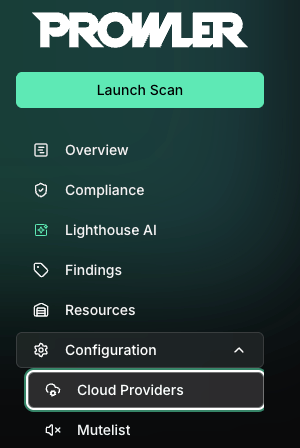
2. Navigate to `Configuration` > `Providers`
***
### Step 2: Access Prowler Cloud
1. Navigate to [Prowler Cloud](https://cloud.prowler.com/) or launch [Prowler Local Server](/user-guide/tutorials/prowler-app)
2. Navigate to `Configuration` > `Providers`
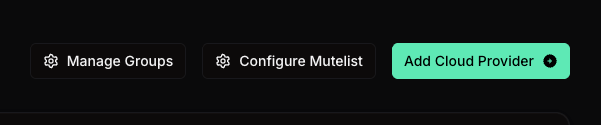
 3. Click `Add Provider`
 4. Select `Microsoft Azure`
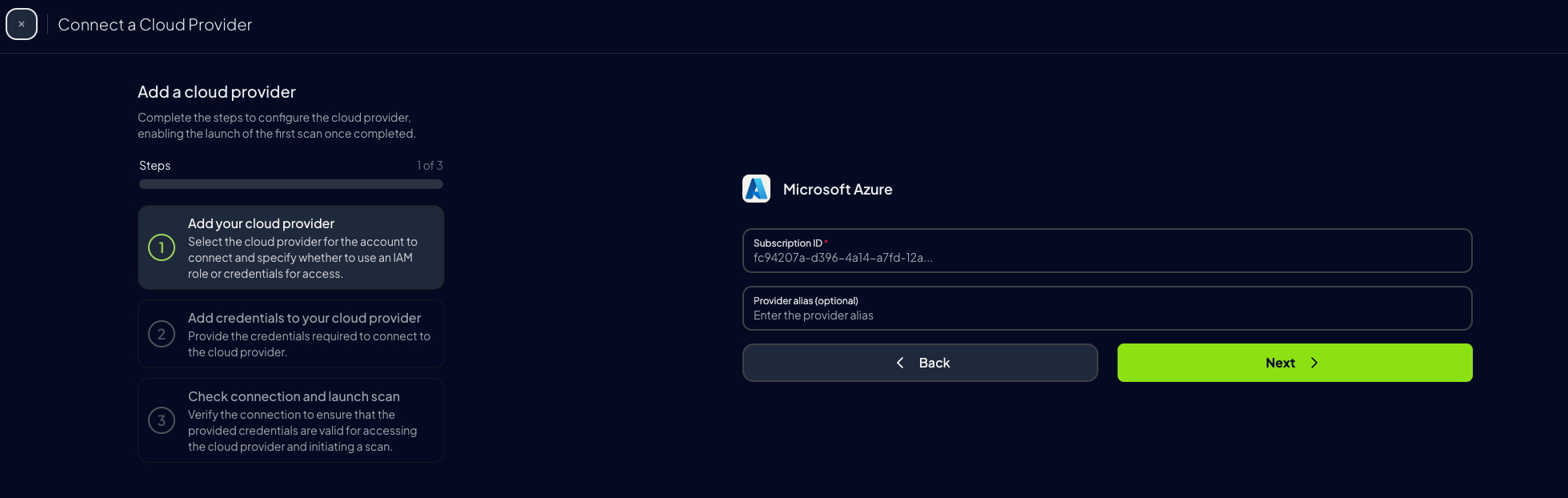
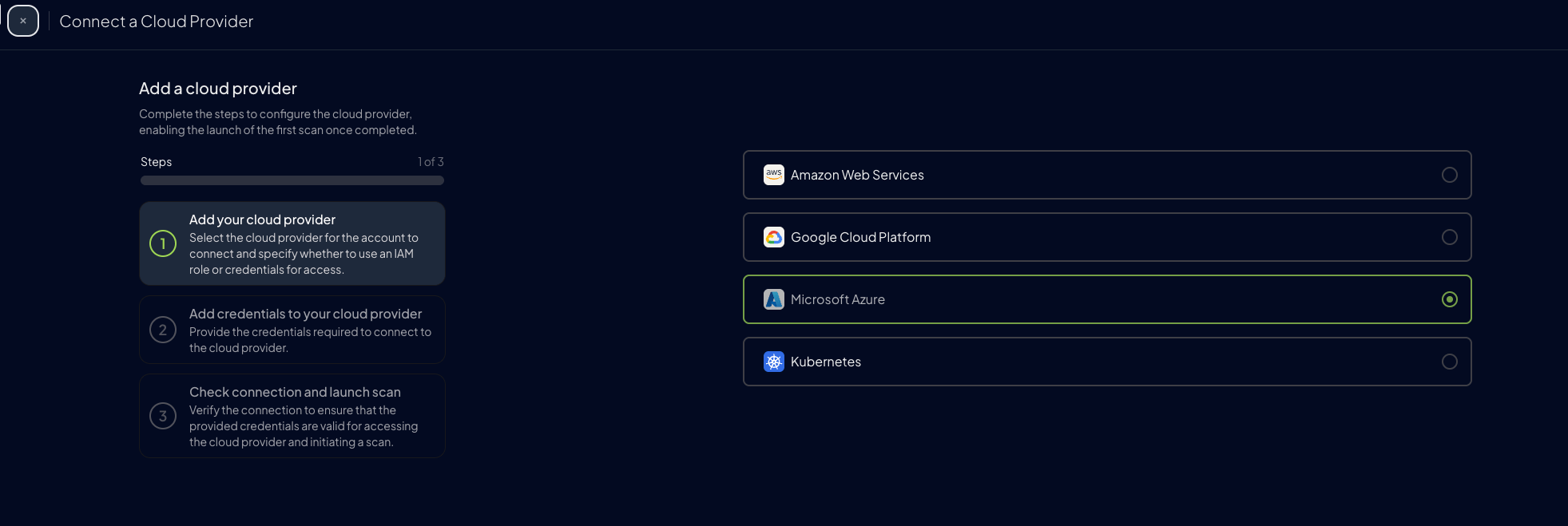 5. Add the Subscription ID and an optional alias, then click `Next`
 ### Step 3: Add Credentials to Prowler Cloud
For Azure, Prowler Cloud uses a service principal application to authenticate. For more information about the process of creating and adding permissions to a service principal refer to this [section](/user-guide/providers/azure/authentication). When you finish creating and adding the [Entra](/user-guide/providers/azure/create-prowler-service-principal#assigning-proper-permissions) and [Subscription](/user-guide/providers/azure/subscriptions) scope permissions to the service principal, enter the `Tenant ID`, `Client ID` and `Client Secret` of the service principal application.
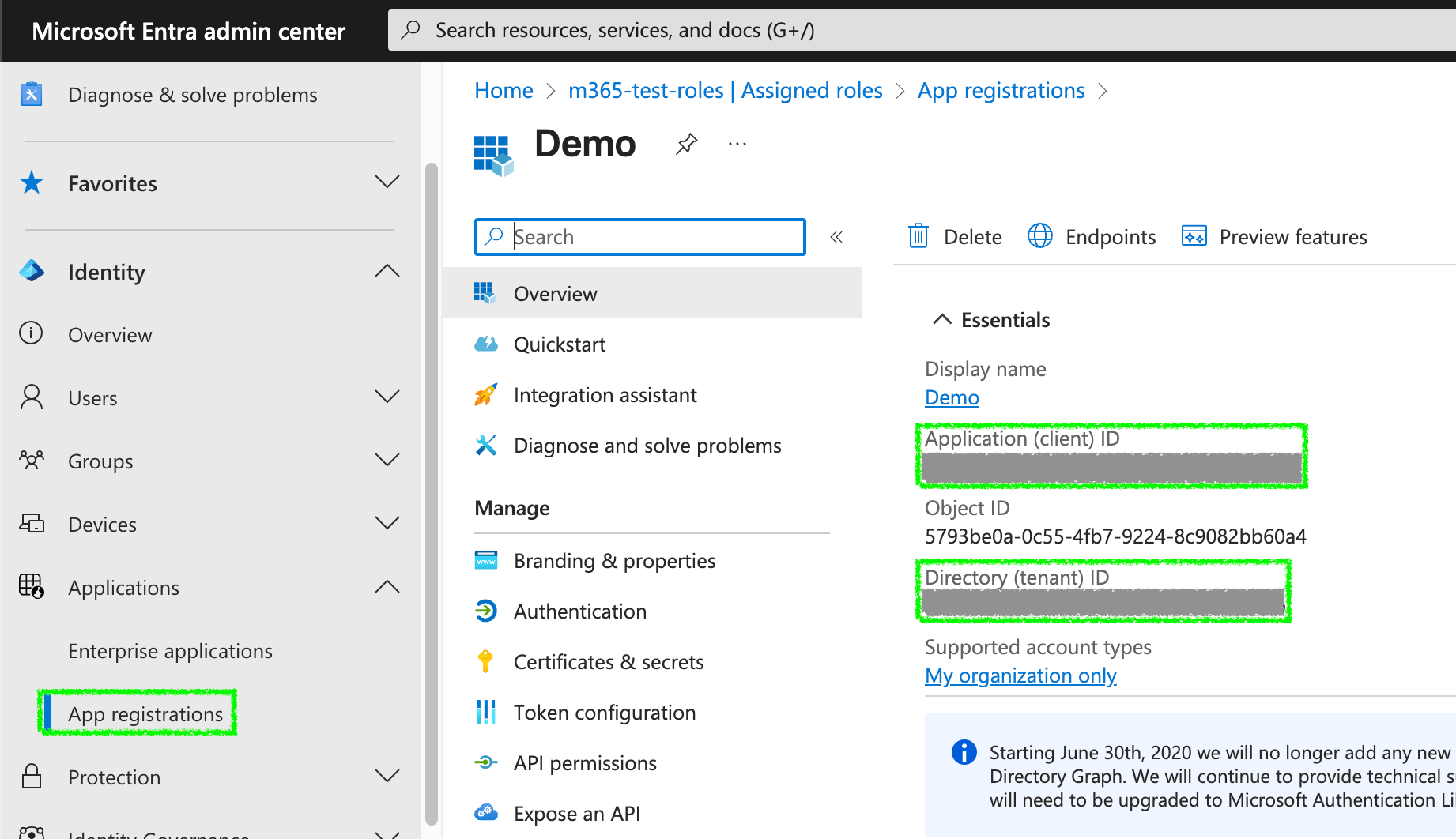
1. Go to your App Registration overview and copy the `Client ID` and `Tenant ID`
### Step 3: Add Credentials to Prowler Cloud
For Azure, Prowler Cloud uses a service principal application to authenticate. For more information about the process of creating and adding permissions to a service principal refer to this [section](/user-guide/providers/azure/authentication). When you finish creating and adding the [Entra](/user-guide/providers/azure/create-prowler-service-principal#assigning-proper-permissions) and [Subscription](/user-guide/providers/azure/subscriptions) scope permissions to the service principal, enter the `Tenant ID`, `Client ID` and `Client Secret` of the service principal application.
1. Go to your App Registration overview and copy the `Client ID` and `Tenant ID`
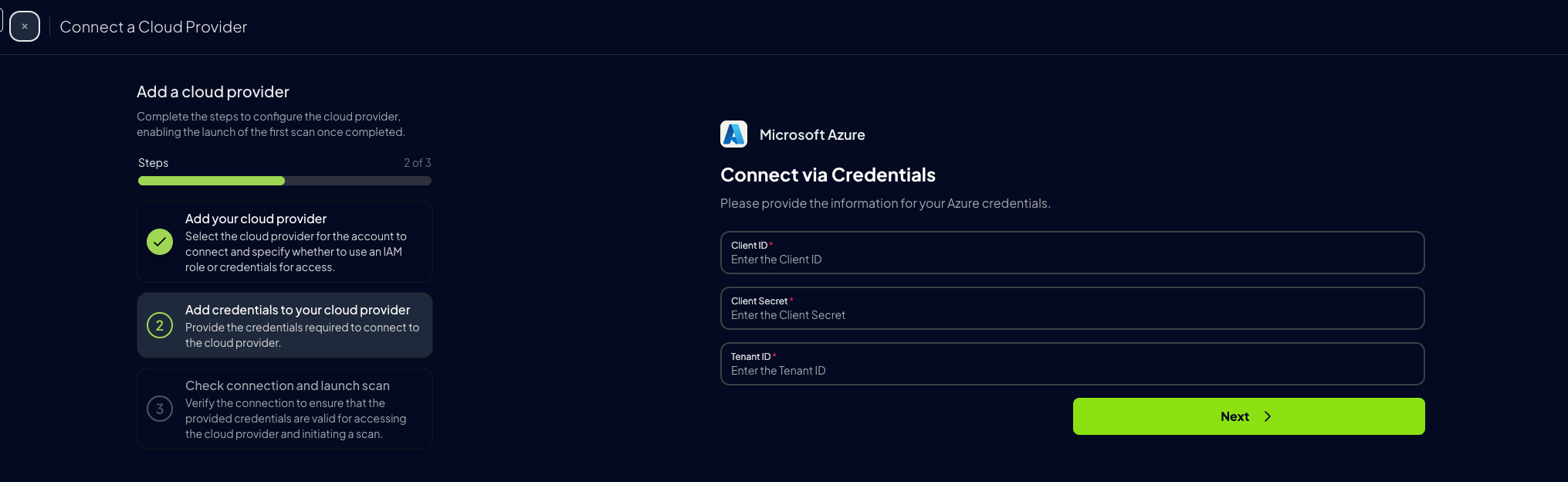
 2. Go to Prowler Cloud and paste:
* `Client ID`
* `Tenant ID`
* `Client Secret` from [earlier](/user-guide/providers/azure/authentication#service-principal-application-authentication-recommended)
2. Go to Prowler Cloud and paste:
* `Client ID`
* `Tenant ID`
* `Client Secret` from [earlier](/user-guide/providers/azure/authentication#service-principal-application-authentication-recommended)
 3. Click `Next`
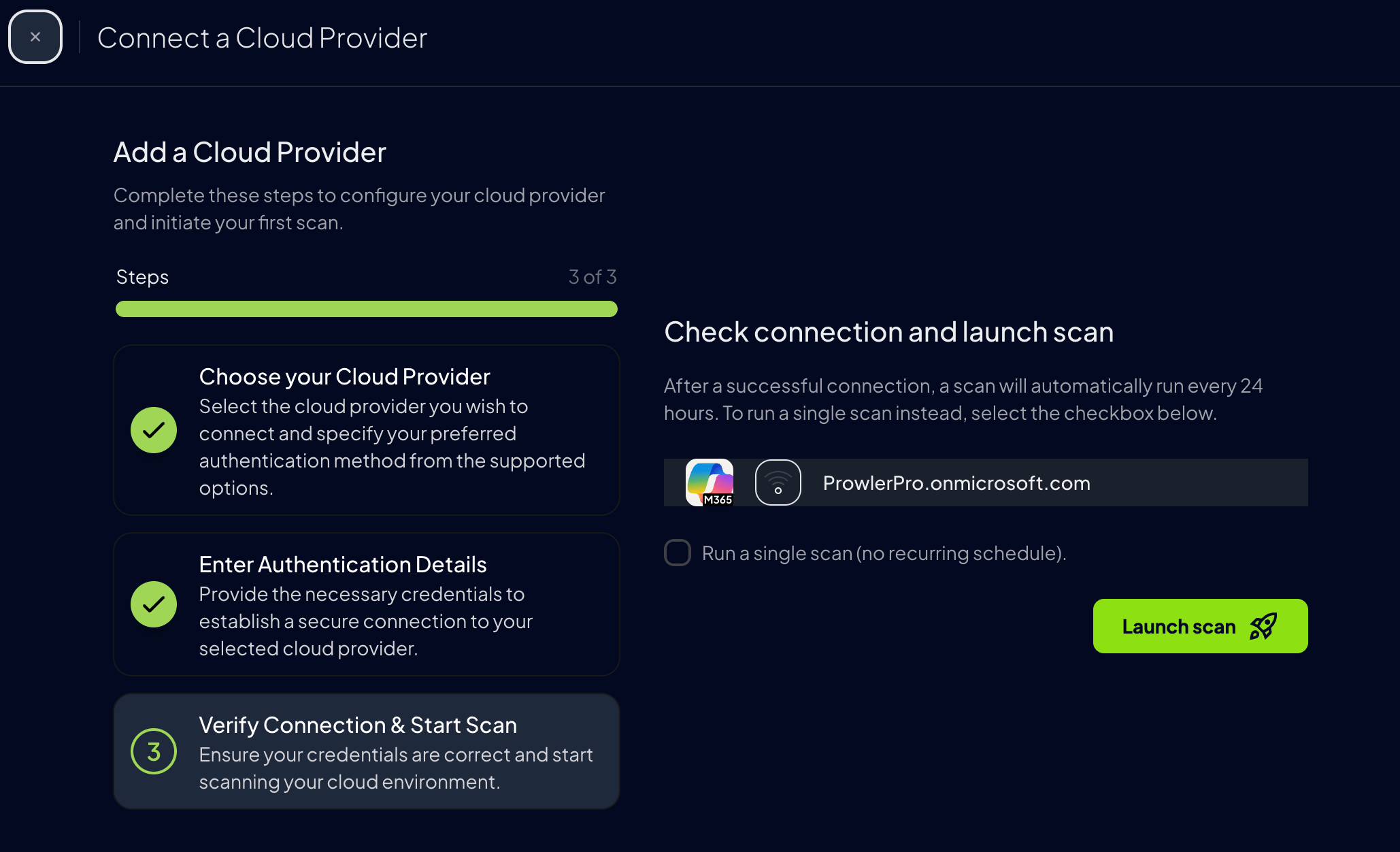
 4. Click "Launch Scan"
 ***
## Prowler CLI
### Configure Azure Credentials
To authenticate with Azure, Prowler CLI supports multiple authentication methods. Choose the method that best suits your environment.
For detailed authentication setup instructions, see [Authentication](/user-guide/providers/azure/authentication).
**Service Principal (Recommended)**
Set up environment variables:
```console theme={null}
export AZURE_CLIENT_ID="XXXXXXXXX"
export AZURE_TENANT_ID="XXXXXXXXX"
export AZURE_CLIENT_SECRET="XXXXXXX"
```
Then run:
```console theme={null}
prowler azure --sp-env-auth
```
**Azure CLI Credentials**
Use stored Azure CLI credentials:
```console theme={null}
prowler azure --az-cli-auth
```
**Browser Authentication**
Authenticate using your default browser:
```console theme={null}
prowler azure --browser-auth --tenant-id
```
**Managed Identity**
When running on Azure resources:
```console theme={null}
prowler azure --managed-identity-auth
```
### Subscription Selection
To scan a specific Azure subscription:
```console theme={null}
prowler azure --subscription-ids
```
To scan multiple Azure subscriptions:
```console theme={null}
prowler azure --subscription-ids
```
***
## Prowler CLI
### Configure Azure Credentials
To authenticate with Azure, Prowler CLI supports multiple authentication methods. Choose the method that best suits your environment.
For detailed authentication setup instructions, see [Authentication](/user-guide/providers/azure/authentication).
**Service Principal (Recommended)**
Set up environment variables:
```console theme={null}
export AZURE_CLIENT_ID="XXXXXXXXX"
export AZURE_TENANT_ID="XXXXXXXXX"
export AZURE_CLIENT_SECRET="XXXXXXX"
```
Then run:
```console theme={null}
prowler azure --sp-env-auth
```
**Azure CLI Credentials**
Use stored Azure CLI credentials:
```console theme={null}
prowler azure --az-cli-auth
```
**Browser Authentication**
Authenticate using your default browser:
```console theme={null}
prowler azure --browser-auth --tenant-id
```
**Managed Identity**
When running on Azure resources:
```console theme={null}
prowler azure --managed-identity-auth
```
### Subscription Selection
To scan a specific Azure subscription:
```console theme={null}
prowler azure --subscription-ids
```
To scan multiple Azure subscriptions:
```console theme={null}
prowler azure --subscription-ids
```