

 About Us
Running Prowler
Running Prowler requires specifying the provider (e.gaws, gcp, azure, kubernetes, m365, github, iac or mongodbatlas):
If no provider is specified, AWS is used by default for backward compatibility with Prowler v2.
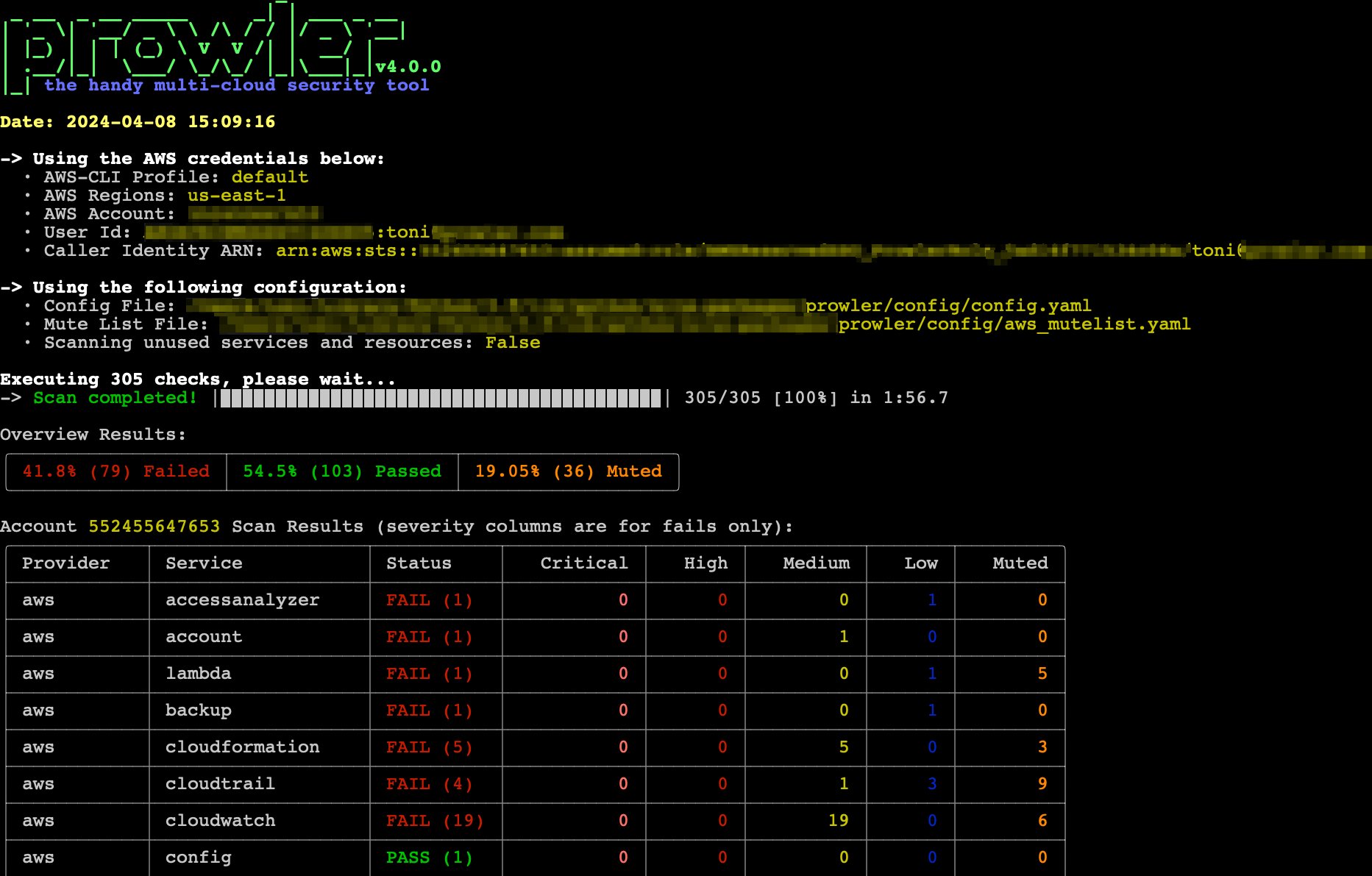
Running the
prowler command without options will uses environment variable credentials. Refer to the Authentication section of each provider for credential configuration details.Verbose Output
If you prefer the former verbose output, use:--verbose. This allows seeing more info while Prowler is running, minimal output is displayed unless verbosity is enabled.
Report Generation
By default, Prowler generates CSV, JSON-OCSF, and HTML reports. Additional provider-specific formats are available:- JSON-ASFF (AWS only): Used by AWS Security Hub
- SARIF (IaC only): Used by GitHub Code Scanning
-M or --output-modes flag:
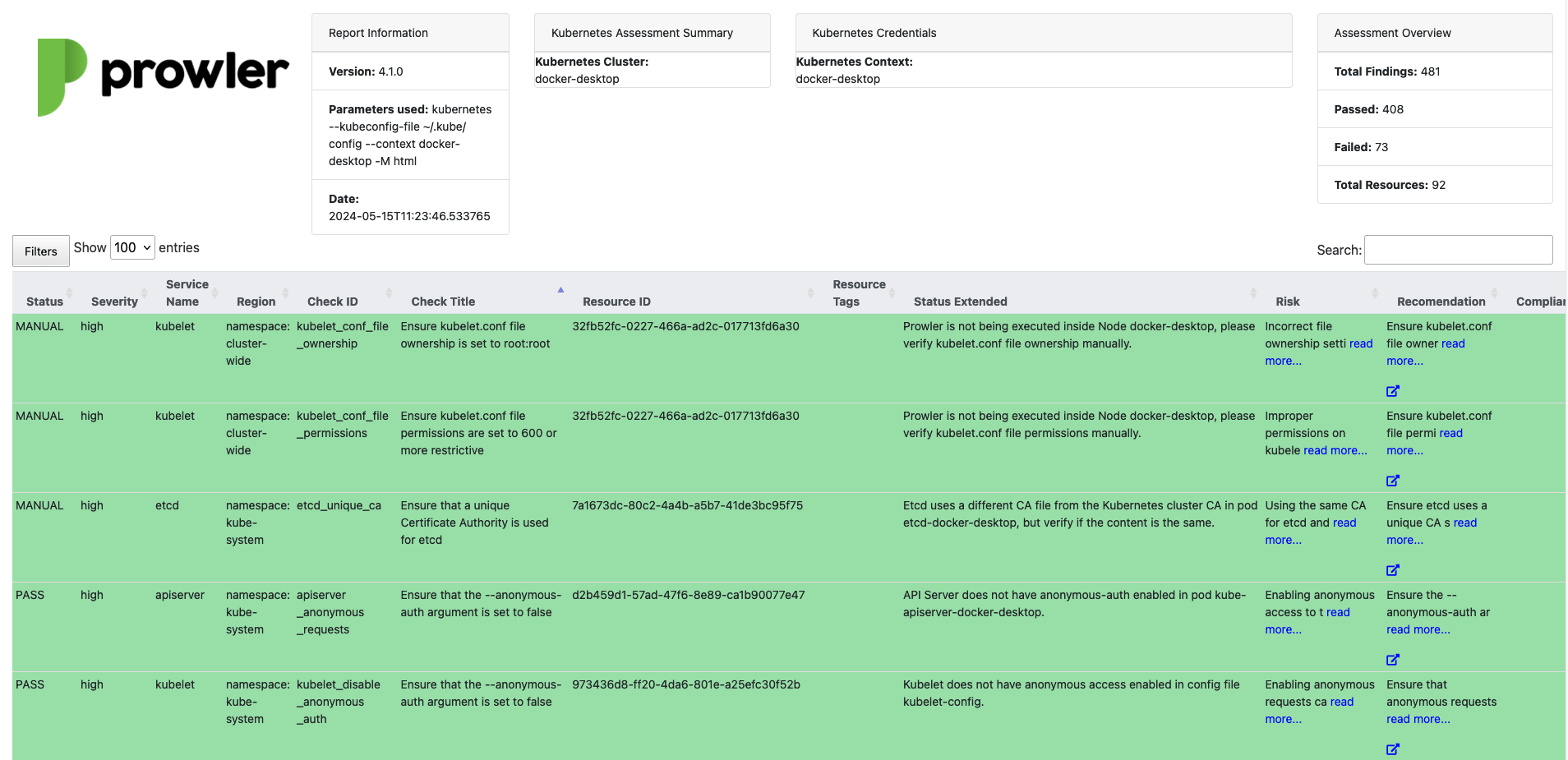
Listing Available Checks and Services
List all available checks or services within a provider using-l/--list-checks or --list-services.
Running Specific Checks or Services
Execute specific checks or services using-c/checks or -s/services:
Excluding Checks and Services
Checks and services can be excluded with-e/--excluded-checks or --excluded-services:
Additional Options
Explore more advanced time-saving execution methods in the Miscellaneous section. Access the help menu and view all available options with-h/--help:
AWS
Use a custom AWS profile with-p/--profile and/or specific AWS regions with -f/--filter-region:
By default,
prowler will scan all AWS regions.Azure
Azure requires specifying the auth method:Google Cloud
-
User Account Credentials
By default, Prowler uses User Account credentials. Configure accounts using:
gcloud init– Set up a new account.gcloud config set account <account>– Switch to an existing account.
gcloud auth application-default login. -
Service Account Authentication
Alternatively, you can use Service Account credentials:
Generate and download Service Account keys in JSON format. Refer to Google IAM documentation for details.
Provide the key file location using this argument:
-
Scanning Specific GCP Projects
By default, Prowler scans all accessible GCP projects. Scan specific projects with the
--project-idsflag: -
GCP Retry Configuration
Configure the maximum number of retry attempts for Google Cloud SDK API calls with the
--gcp-retries-max-attemptsflag:This is useful when experiencing quota exceeded errors (HTTP 429) to increase the number of automatic retry attempts.
Kubernetes
Prowler enables security scanning of Kubernetes clusters, supporting both in-cluster and external execution.-
Non In-Cluster Execution
If no
--kubeconfig-fileis provided, Prowler will use the default KubeConfig file location (~/.kube/config). -
In-Cluster Execution
To run Prowler inside the cluster, apply the provided YAML configuration to deploy a job in a new namespace:
By default, Prowler scans all namespaces in the active Kubernetes context. Use the
--contextflag to specify the context to be scanned and--namespacesto restrict scanning to specific namespaces.
Microsoft 365
Microsoft 365 requires specifying the auth method:GitHub
Prowler enables security scanning of your GitHub account, including Repositories, Organizations and Applications.-
Supported Authentication Methods
Authenticate using one of the following methods:
If no login method is explicitly provided, Prowler will automatically attempt to authenticate using environment variables in the following order of precedence:
GITHUB_PERSONAL_ACCESS_TOKENOAUTH_APP_TOKENGITHUB_APP_IDandGITHUB_APP_KEY
Infrastructure as Code (IaC)
Prowler’s Infrastructure as Code (IaC) provider enables you to scan local or remote infrastructure code for security and compliance issues using Trivy. This provider supports a wide range of IaC frameworks, allowing you to assess your code before deployment.--scan-pathand--scan-repository-urlare mutually exclusive; only one can be specified at a time.- For remote repository scans, authentication can be provided via CLI flags or environment variables (
GITHUB_OAUTH_APP_TOKEN,GITHUB_USERNAME,GITHUB_PERSONAL_ACCESS_TOKEN). CLI flags take precedence. - The IaC provider does not require cloud authentication for local scans.
- It is ideal for CI/CD pipelines and local development environments.
- For more details on supported scanners, see the Trivy documentation
MongoDB Atlas
Prowler allows you to scan your MongoDB Atlas cloud database deployments for security and compliance issues. Authentication is done using MongoDB Atlas API key pairs:Oracle Cloud
Prowler allows you to scan your Oracle Cloud deployments for security and compliance issues. You have two options to authenticate:-
OCI Config File Authentication: this config file can be generated using the OCI CLI with the
oci session authenticatecommand or created manually using the OCI Console. For more details, see the OCI Authentication Guide.You can add different profiles to the config file to scan different tenancies or regions. In order to scan a specific profile, use the--profileflag: -
Instance Principal Authentication: when running Prowler on an OCI Compute instance, you can use Instance Principal authentication. For more details, see the OCI Authentication Guide.