

 About Us
Prowler Cloud
Step 1: Access Prowler Cloud or Prowler Local Server
- Navigate to Prowler Cloud or launch Prowler Local Server
-
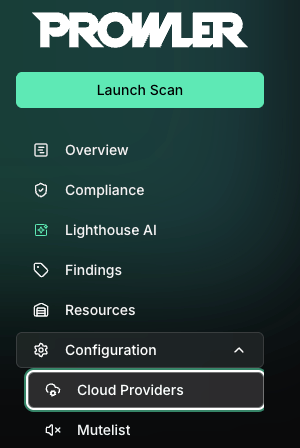
Go to “Configuration” > “Providers”
-
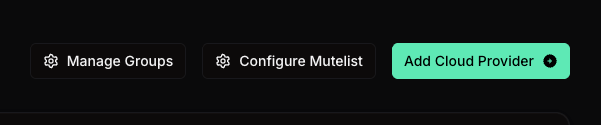
Click “Add Provider”
- Select “Kubernetes”
- Enter your Kubernetes Cluster context from your kubeconfig file and optionally provide a friendly alias
Step 2: Configure Kubernetes Authentication
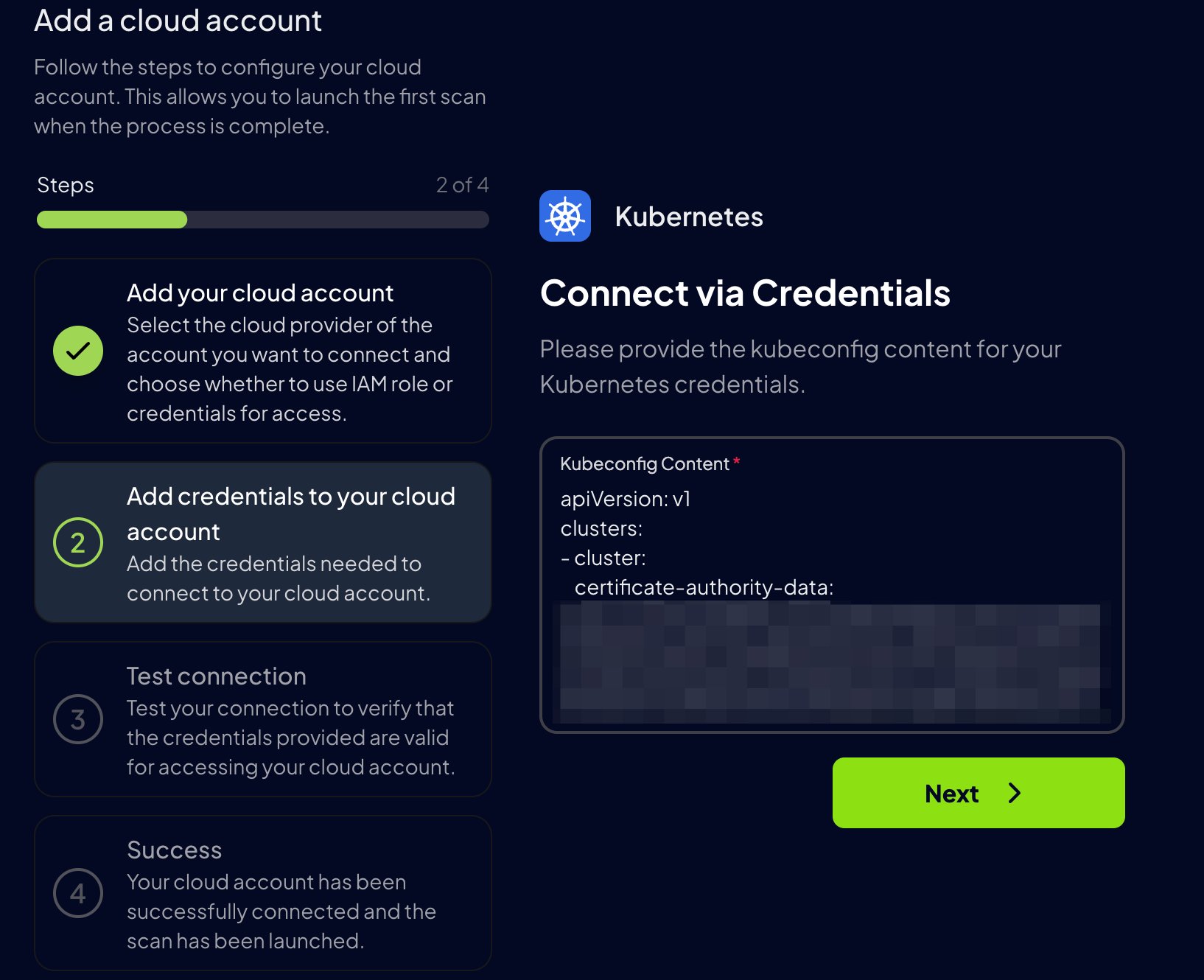
For Kubernetes, Prowler Cloud uses akubeconfig file to authenticate. Paste the contents of your kubeconfig file into the Kubeconfig content field.
Kubeconfigs that use
users[].user.exec authentication are not supported in Prowler Cloud or Prowler Local Server. For security reasons, Prowler Cloud does not run commands declared by uploaded kubeconfigs. Use kubeconfig credentials that do not rely on exec authentication, such as the ServiceAccount token flow documented below.kubeconfig file is located at ~/.kube/config.
Step 3: Additional Setup for EKS, GKE, AKS, or External Clusters
If you are adding an EKS, GKE, AKS or external cluster, follow these additional steps to ensure proper authentication: Make sure your cluster allows traffic from the Prowler Cloud IP address52.48.254.174/32
-
Apply the necessary Kubernetes resources to your EKS, GKE, AKS or external cluster (you can find the files in the
kubernetesdirectory of the Prowler repository): -
Generate a long-lived token for authentication:
- Security Note: The
--duration=0option generates a non-expiring token, which may pose a security risk if not managed properly. Choose an appropriate expiration time based on security policies. For a limited-time token, set--duration=<TIME>(e.g.,--duration=24h).
Important: If the token expires, Prowler Cloud can no longer authenticate with the cluster. Generate a new token and remove and re-add the provider in Prowler Cloud with the updatedkubeconfig. - Security Note: The
-
Update your
kubeconfigto use the ServiceAccount token:Replace<SA_TOKEN>with the generated token and<CONTEXT_NAME>with your KubeConfig Context Name of your EKS, GKE or AKS cluster. -
Add the modified
kubeconfigin Prowler Cloud and test the connection.
Prowler CLI
Non In-Cluster Execution
For execution outside the cluster environment, specify the location of the kubeconfig file using the following argument:If no
--kubeconfig-file is provided, Prowler will use the default KubeConfig file location (~/.kube/config).prowler will scan the active Kubernetes context by default. Use the --context flag to specify the context to be scanned.By default,
prowler will scan all namespaces in your active Kubernetes context. Use the --namespace flag to specify the namespace(s) to be scanned.In-Cluster Execution
For in-cluster execution, use the supplied yaml files inside/kubernetes:
They can be used to run Prowler as a job within a new Prowler namespace:
By default,
prowler will scan all namespaces in your active Kubernetes context. Use the --namespace flag to specify the namespace(s) to be scanned.